Roborock replacement parts
Which filter, brushes and mop cloths each of the 87 Roborock robot vacuums sold in Australia takes, with dated prices from 7 Australian sellers, genuine and compatible side by side.
Washable Filter (S4 / S5 / S6 / E series, Q5)takes RR-Wfilter-01
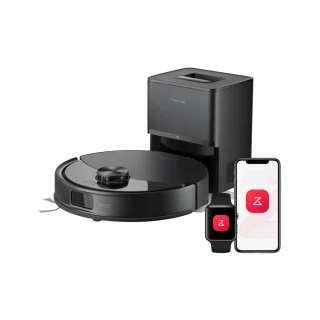 C10takes RR-Wfilter-01 · from $3.25View filter
- E2takes RR-Wfilter-01 · from $3.25View filter
- E3takes RR-Wfilter-01 · from $3.25View filter
- E4takes RR-Wfilter-01 · from $3.25View filter
 E5takes RR-Wfilter-01 · from $3.25View filter
 Q5takes RR-Wfilter-01 · from $3.25View filter
 Q5+takes RR-Wfilter-01 · from $3.25View filter
- S4takes RR-Wfilter-01 · from $3.25View filter
 S4 Maxtakes RR-Wfilter-01 · from $3.25View filter
- S5takes RR-Wfilter-01 · from $3.25View filter
 S5 Maxtakes RR-Wfilter-01 · from $3.25View filter
- S6takes RR-Wfilter-01 · from $3.25View filter
 S6 MaxVtakes RR-Wfilter-01 · from $3.25View filter
 S6 Puretakes RR-Wfilter-01 · from $3.25View filter
Washable Filter (Qrevo MaxV / S / C / L / Curv / Edge)takes 8.02.0296
 Qrevo Ctakes 8.02.0296 · from $2.50View filter
 Qrevo C Protakes 8.02.0296 · from $2.50View filter
 Qrevo Curvtakes 8.02.0296 · from $2.50View filter
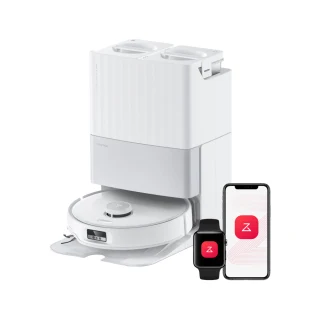 Qrevo Edgetakes 8.02.0296 · from $2.50View filter
 Qrevo Edge Ctakes 8.02.0296 · from $2.50View filter
 Qrevo Ltakes 8.02.0296 · from $2.50View filter
 Qrevo L Protakes 8.02.0296 · from $2.50View filter
Loading more models…
How to change your Roborock filter
Steps for the Side Brush (S / Q / Qrevo series) (RR-BS0-Q80MaxPlus-M2), the filter 43 Roborock models take. Change it every 6 months.
- 1Turn the robot over on a towel. The side brush is the three-armed brush at the front corner.
- 2Undo the single screw in the centre of the brush with the small screwdriver from the box and lift the old brush off.
- 3Seat the new brush on the post, do the screw up snugly, and spin it by hand to check it turns freely.
- 4In the Roborock app open Maintenance and reset the side-brush timer.
Different steps for Dust Bag (Qrevo / Saros / S8 MaxV Ultra docks) · Different steps for Main Brush (Qrevo Curv / Edge, Saros 10 / 10R / 20) · Different steps for Dust Bag (S8 / Q series auto-empty docks) · Different steps for Mop Cloth (Q5 / Q7 / Q8, S5 / S6, E series) · Different steps for Side Brush (Saros, Qrevo Curv / Edge, Q10) · Different steps for Washable Filter (S4 / S5 / S6 / E series, Q5) · Different steps for Main Brush (S7 MaxV / Q7 Max / Qrevo) · Different steps for Rotating Mop Cloths (Qrevo, Qrevo MaxV / Master / C / L / Slim) · Different steps for Washable Filter (Qrevo MaxV / S / C / L / Curv / Edge) · Different steps for Washable Filter (Saros 10R / 20, Qrevo CurvX / EdgeT) · Different steps for Washable Filter (S7 / S8 series) · Different steps for Mop Cloth (S7 / S8 series) · Different steps for Washable Dust Bin Filter (Q7 / Q7 Max, Q8 Max, Q5 Pro) · Different steps for Washable Filter (Q7B / Q7T+ / Q7+ / Q7 Max+) · Different steps for Mop Cloth (Q7B / Q7T+ / Q8 / Q8+) · Different steps for Rotating Mop Cloths (Saros 10R / 20 / Z70, Qrevo Edge 2) · Different steps for Mop Cloth (Q10V+, S8 Pro / S8 Pro Ultra) · Different steps for Washable Filter (Qrevo Master / Slim, Saros Z70) · Different steps for Rotating Mop Cloths (Qrevo Curv / Edge / EdgeC, Q10V+) · Different steps for Mop Cloth (Qrevo CurvX / EdgeT, QX Revo Ultra) · Different steps for Washable Filter (S8 MaxV Ultra / S8 Max Ultra) · Different steps for Rubber Main Brush (S8 MaxV Ultra / S8 Max Ultra) · Different steps for Rotating Mop Cloths (Qrevo L / L Pro) · Different steps for Mop Cloth (Q10 S5) · Different steps for Washable Filter (Q7 M5) · Different steps for Dust Bag (S7+ / S7 MaxV Plus auto-empty dock) · Different steps for Mop Cloth (Q10 X5) · Different steps for VibraRise 2.0 Mop Cloth (Saros 10) · Different steps for Rotating Mop Cloths (Qrevo Edge 2 Pro) · Different steps for Roller Mop Cloth (Qrevo Curv 2 Flow) · Different steps for Side Brush (Qrevo Curv 2 Flow) · Different steps for Washable Filter (Qrevo) · Different steps for Main Brush (Saros Z70) · Different steps for Washable Filter (Saros 10)
Reset the maintenance timer
Reset the side-brush timer under Maintenance in the Roborock app.
Get a reminder when your Roborock filter is due
Most Roborock models here change it every 6 months. One email two weeks before, no newsletter. Type the model from the sticker and we set the date for that model.
Common questions
- How often should I change a Roborock filter?
- Every 6 months for the Side Brush (S / Q / Qrevo series) (RR-BS0-Q80MaxPlus-M2), the filter most Roborock models here take. Each model page shows the interval for its own filter.
- What happens if I don't change the filter?
- A clogged filter loses suction, worn brushes miss edges, and a stale mop cloth smears rather than cleans.
- Does Roborock make a compatible filter?
- Roborock makes the genuine filter. Compatible filters for Roborock models are made by other companies to the same shape and flow rate, and Australian sellers we track list both; each part page shows the genuine and compatible prices side by side and the certifications we could confirm.
- How do I reset the maintenance timer on a Roborock robot vacuum?
- Reset the side-brush timer under Maintenance in the Roborock app.
All 87 Roborock robot vacuums we list, A to Z
- C10RR-Wfilter-01
- E2RR-Wfilter-01
- E3RR-Wfilter-01
- E4RR-Wfilter-01
- E4 MopRR-BS0-Q80MaxPlus-M2
- E5RR-Wfilter-01
- E5 MopRR-BS0-Q80MaxPlus-M2
- Q5RR-Wfilter-01
- Q5 DuoRoller+RR-BS0-Q80MaxPlus-M2
- Q5 Max+RR-BS0-Q80MaxPlus-M2
- Q5 Pro8.02.0134
- Q5 Pro+8.02.0134
- Q5+RR-Wfilter-01
- Q78.02.0134
- Q7 L5+RR-CDYCX0-Q5-06
- Q7 M5RR-LW0-Q7M5-M02
- Q7 M5+RR-LW0-Q7M5-M02
- Q7 Max8.02.0134
- Q7 Max+8.02.0443
- Q7+8.02.0443
- Q7B8.02.0443
- Q7B+8.02.0443
- Q7T+8.02.0443
- Q88.02.0442
- Q8 Max8.02.0134
- Q8 Max+8.02.0134
- Q8+8.02.0442
- Q10 S5RR-DQZDTBH-Talc-M02
- Q10 S5+RR-CDYCX0-Q5-06
- Q10 X5RR-TB2-Q10X5-M02
- Q10 X5+RR-CDYCX0-Q5-06
- Q10V+8.02.0437
- QrevoRR-LW2-QRevo-02
- Qrevo 2 Pro8.02.0238
- Qrevo C8.02.0296
- Qrevo C Pro8.02.0296
- Qrevo Curv8.02.0296
- Qrevo Curv 2 FlowRR-LW0-QRevoMaster-01
- Qrevo Curv S5XRR-ZS4-QrevoCurv-01
- Qrevo CurvXRR-LW2-Saros10R-M02
- Qrevo Edge8.02.0296
- Qrevo Edge 2RR-LW2-Saros10R-M02
- Qrevo Edge 2 FlowRR-LW2-Saros10R-M02
- Qrevo Edge 2 ProRR-LW2-Saros10R-M02
- Qrevo Edge C8.02.0296
- Qrevo Edge S5ARR-ZS4-QrevoCurv-01
- Qrevo EdgeTRR-LW2-Saros10R-M02
- Qrevo L8.02.0296
- Qrevo L Pro8.02.0296
- Qrevo MasterRR-LW0-QRevoMaster-01
- Qrevo MaxV8.02.0296
- Qrevo PlusRR-BS0-Q80MaxPlus-M2
- Qrevo ProRR-S7-ZS-02
- Qrevo S8.02.0296
- Qrevo S Pro8.02.0296
- Qrevo S5VRR-ZS4-QrevoCurv-01
- Qrevo SlimRR-LW0-QRevoMaster-01
- QV 35ARR-S7-ZS-02
- QV 35SRR-S7-ZS-02
- QX Revo UltraRR-LW2-Saros10R-M02
- S4RR-Wfilter-01
- S4 MaxRR-Wfilter-01
- S5RR-Wfilter-01
- S5 MaxRR-Wfilter-01
- S6RR-Wfilter-01
- S6 MaxVRR-Wfilter-01
- S6 PureRR-Wfilter-01
- S7RR-S7LW-01
- S7 Max UltraRR-S7LW-01
- S7 MaxVRR-S7LW-01
- S7 MaxV PlusRR-S7LW-01
- S7 MaxV UltraRR-S7LW-01
- S7 Pro UltraRR-CDYCX0-Q5-06
- S7+RR-S7LW-01
- S8RR-S7LW-01
- S8 Max Ultra8.02.0320
- S8 MaxV Ultra8.02.0320
- S8 Pro8.02.0437
- S8 Pro UltraRR-S7LW-01
- S8 Pro+8.02.0437
- S8+RR-S7LW-01
- S10 MaxV UltraRR-LW2-Saros10R-M02
- Saros 10SDLW12RR
- Saros 10RRR-LW2-Saros10R-M02
- Saros 20RR-LW2-Saros10R-M02
- Saros 20 SonicRR-LW2-Saros10R-M02
- Saros Z70RR-LW0-QRevoMaster-01
Brand names describe compatibility only; FitMatch is independent of Roborock. Fitment sources are recorded on every model page.