Filtrite chlorinator cells
Which replacement cell the Filtrite salt chlorinator sold in Australia takes, with dated prices from 4 Australian sellers.
Showing 1 of 1 Filtrite model · grouped by part
AstralPool VX9 (VX 9T) and E-Series E35 complete cell 21907takes 21907
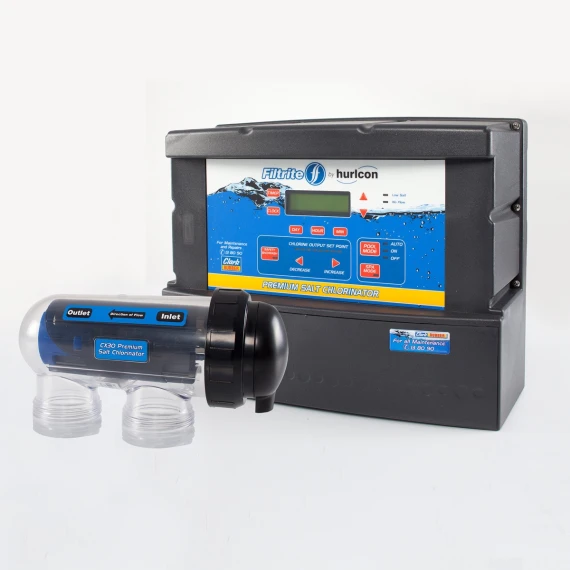
How to change the cell on your Filtrite chlorinator
Steps for the AstralPool VX9 (VX 9T) and E-Series E35 complete cell 21907 (21907), the cell 1 Filtrite model takes.
- 1Turn the chlorinator off at the power point, turn the filter pump off and close the valves either side of the cell if you have them.
- 2Disconnect the cell lead: on the VX and Viron undo the wing nuts (note the blue wire is on the blue terminal); on the E-Series and eQuilibrium unplug the cell terminal cap; on the Halo unclip the end cap.
- 3Undo the two barrel unions and lift the old cell out of the pipework.
- 4Fit the new cell level, with the barrel unions underneath, the O-rings seated and the water entering at the end nearest the terminals (follow the flow label). Tighten the unions.
- 5Reconnect the lead, open the valves, start the pump and check for leaks, then switch the chlorinator on and set the output.
After fitting the cell
No reset needed. After fitting, run the pump, switch the chlorinator on and set the output again; the low-salt or no-flow warning should clear once water is flowing through the new cell.
Common questions
- What happens if I don't change the cell?
- A worn cell makes too little chlorine, so the water turns green or cloudy, and turning the output up only wears it faster.
- Is there anything to set after changing the cell on a Filtrite chlorinator?
- No reset needed. After fitting, run the pump, switch the chlorinator on and set the output again; the low-salt or no-flow warning should clear once water is flowing through the new cell.
All 1 Filtrite salt chlorinator we list, A to Z
Brand names describe compatibility only; FitMatch is independent of Filtrite. Fitment sources are recorded on every model page.