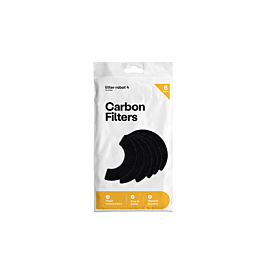
Litter box carbon filter
Litter-Robot carbon filters LR4-6000-6PK for the Litter-Robot 4 and 5 (6-pack)
LR4-6000-6PK
Fits 2 models · replace every month
Wrong part, or your model missing? Tell us. A person checks every report.
GenuineGenuine Litter-Robot
$14.17 each
6-pack $85.00
Cat Evolution · 30 OctLowest genuine · Cat Evolution · checked 30 Oct
CompatibleCompatible option
$2.62 each
8-pack $20.99
Amazon AU · 28 OctAmazon AU · checked 28 Oct
Check sellerCheck seller details
Genuine: made by Litter-Robot. Compatible: another brand.Genuine is made by Litter-Robot. Compatible is made by another brand. Check the seller's page for the size and models it fits.
Lowest compatibleLowest compatible price · $2.62 each · 8-pack $20.99
Amazon AU. Compare with genuine below. Some links earn us a commission. Some seller links earn us a commission, at no extra cost to you.
Compare 4 listings from 2 sellers
AUD, before delivery. Each price shows when it was checked.
Compatible options
2 listings from 1 seller
Opens Amazon AU in a new tab. Their page is the source of truth for price, delivery and returns.
Not due yet?
Get a nudge when your carbon filter is due — it's every month. One email two weeks before, no newsletter. Manage or stop it anytime.
How to change the LR4-6000-6PK carbon filter
Watch the guide or follow the steps.
- 1With the Litter-Robot in the Home position, tap Controls > Replace Filter in the Whisker app. Or hold Cycle and Empty for 3 seconds (Litter-Robot 4), or hold Cancel for 3 seconds (Litter-Robot 5). The globe turns and stops in the filter position.
- 2Lift the bonnet and rotate it open to reach the filter pocket.
- 3Lift the small notch to unclip the filter cover, take out the old pad and fit a new one.
- 4Slide the two bottom tabs of the cover into the slots on the globe, then tuck the two top tabs in. All four must be seated or the cycle can stop.
- 5Close the bonnet and press down until it latches. Press Cycle (Litter-Robot 4) or Empty (Litter-Robot 5) to send it home, then Reset (Litter-Robot 4) or Cancel (Litter-Robot 5) to zero the weight sensors.
Every number this part goes by
- Retail name:
- Litter-Robot 4 Carbon Filters
- Retail name:
- Litter-Robot Carbon Filters
- Retail name:
- LR4-6000-2PK
- Retail name:
- LR4-6000-6PK
- Retail name:
- LR4-6000-6PK-PP-INTL
- Retail name:
- Whisker LR4 carbon filter
Sellers list any of these; they are the same part.
Will it fit your appliance?
Type your model number and we'll check it against the makers' lists.
Fits these 2 Litter-Robot models
Common questions
- What does the LR4-6000-6PK fit?
- The Litter-Robot carbon filters LR4-6000-6PK for the Litter-Robot 4 and 5 (6-pack) fits the Litter-Robot 4 and 5. Compatible filters made to the same specification also fit.
- How often should I replace the LR4-6000-6PK?
- Every month. It works less well as the filter fills up, so it's worth doing on time.
- Where can I buy the LR4-6000-6PK in Australia?
- We track 2 Australian sellers for the LR4-6000-6PK; the lowest listed price when we last checked was A$2.62 at Amazon AU. Prices are re-checked daily and dated on this page.
- How do I fit the LR4-6000-6PK?
- No tools, a few minutes: 5 steps, listed on this page with the replacement video where the maker has one.
- What happens if I don't change it?
- A spent filter or deodoriser stops holding the smell in, and a full or worn liner or tray lets waste stick and smell.
- How do I reset the reminder?
- No filter counter. Start a filter change from Controls > Replace Filter in the Whisker app; when the globe is back home, press Reset (Litter-Robot 4) or Cancel (Litter-Robot 5) to zero the weight sensors, Whisker says.
Something looks wrong with the LR4-6000-6PK match? . Reports go to a person, not a bot.